ERD entity fields re-appear after deletion

  • September 7, 2022
  • 5 replies
  • 229 views

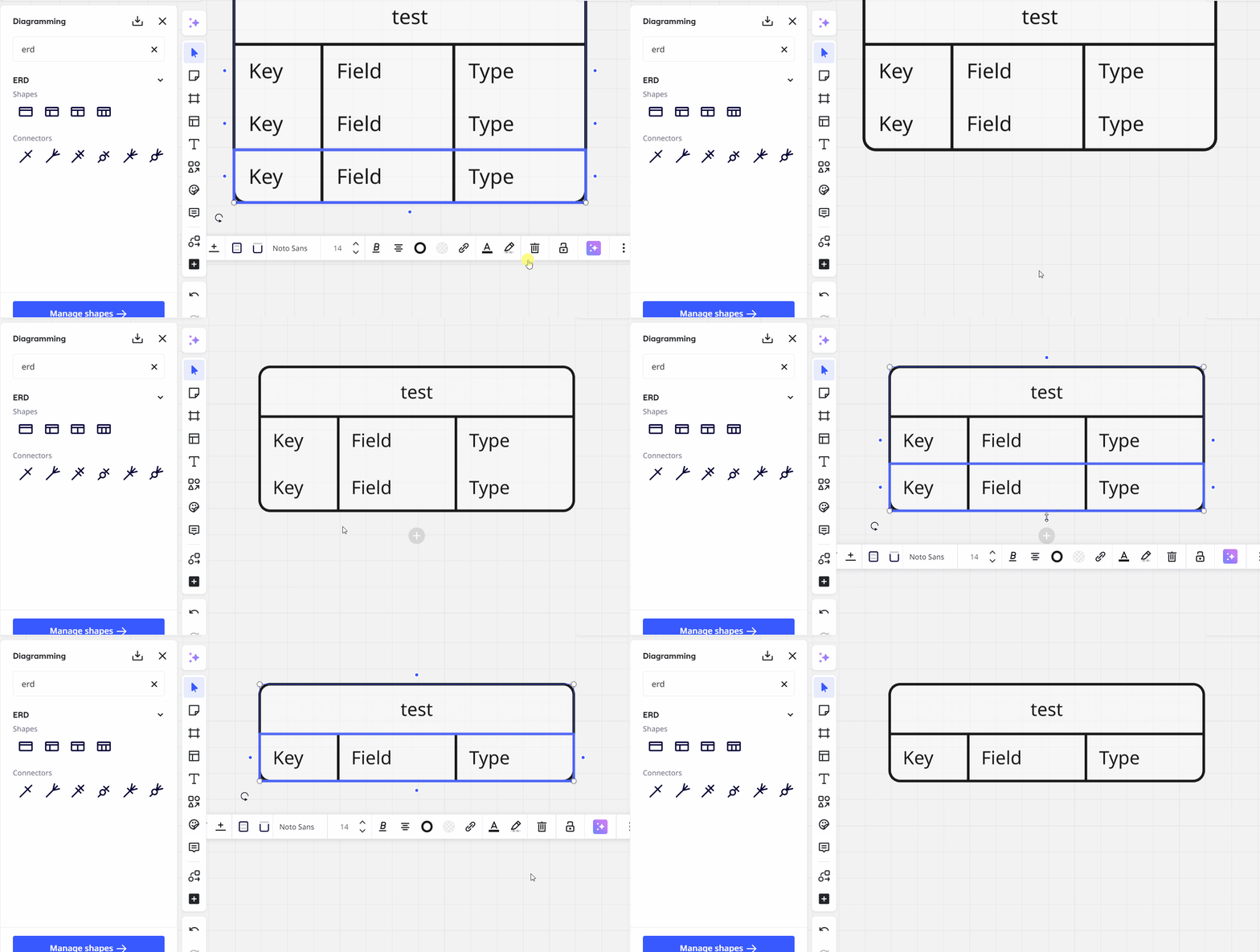
I used ERD objects for data modeling. By default a new entity starts with three “fields”, and I can rename them or delete them. Here is the problem I ran into recently. After I remove those default “fields”, if I come back to the board again, those default “fields” are added back by Miro, messing up my diagrams. Is it a new bug? If so, is there a fix or workaround?

5 replies

Forum|alt.badge.img
  • Mironeer
  • September 9, 2022

Hey @Colin Ma 
Thank you for the report! This indeed sounds like a bug.

We will need some additional details for a further investigation so I converted your post into a support ticket. We’ll reach out to you via email shortly. Please stay tuned!


  • Beginner
  • March 23, 2023

How are you able to delete rows from an ERD? I can only delete the whole entity, not a row.


  • New Here
  • March 13, 2025

Yes the field deletion is a problem. Is anybody responding to this?


Eca
Mironeer
Forum|alt.badge.img+2
  • Mironeer
  • March 19, 2025

Hi ​@timdeboer,


Thanks for reaching out! I tried to reproduce this issue on my end, but I wasn’t able to. Could you share a screenshot or a short video showing what happens when you delete a field and return to the board? That would help us better understand the issue.

  Looking forward to your update! 😊


If anyone like me couldn’t get the delete row to work, click inside the field (like you are changing the text) then the rubbish-bin icon will delete just that row, rather than the entire object.

I think what is more annoying is the handling of pasted data (eg column names from Excel) it either pushing all rows into a single line, or a multiple line within a single field. I can’t see how you paste to multiple fields.